For barn owners and facility managers
Built for Facility Managers. Designed around your day.
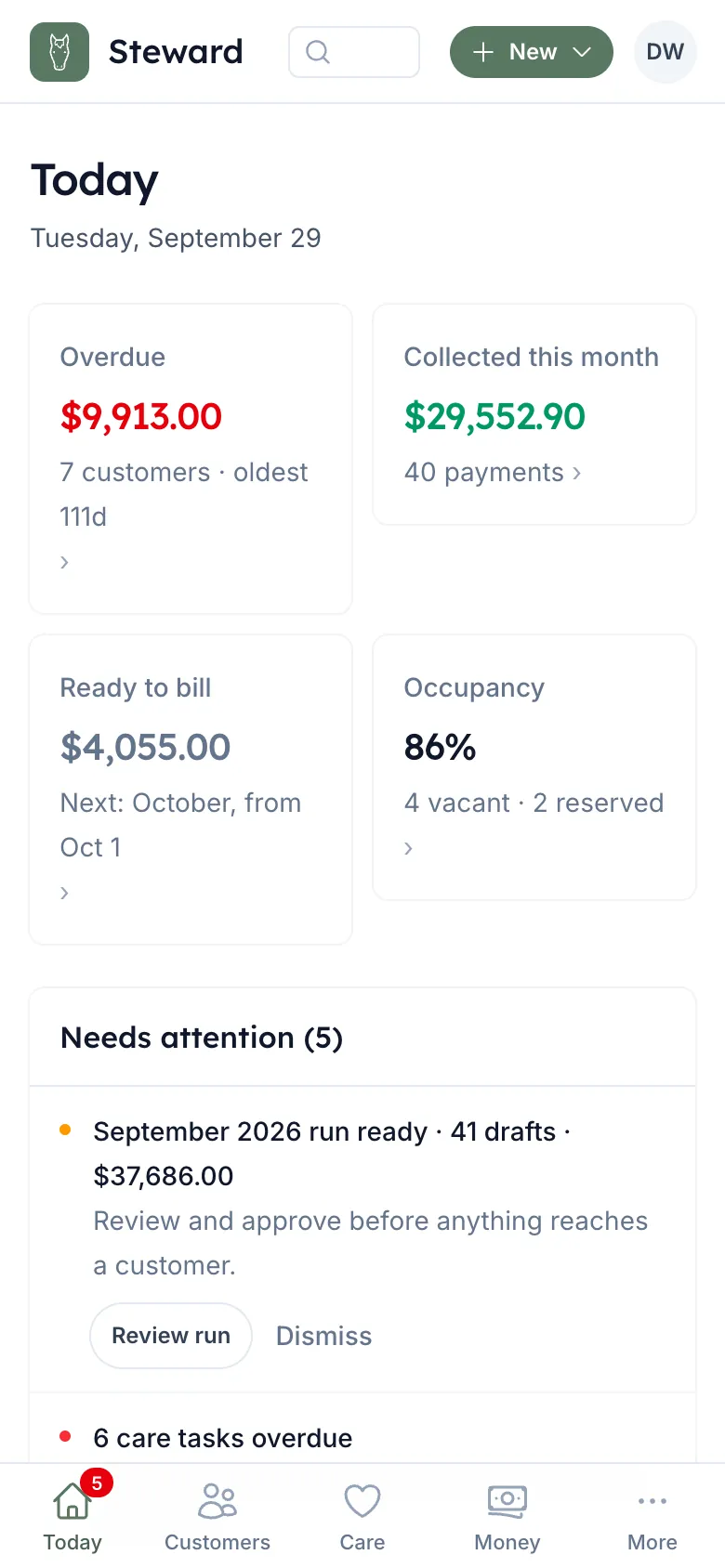
Track horses, stalls and health. Bill every task and lesson. Know who owes, and get paid.
- Billable care tapped done is a charge
- Month-end invoices in a few clicks, approved by you
- Works with QuickBooks, or sends invoices itself
30 days free, then month-to-month by horse count. Payments stay with your bank.
-
Marcus: Upper barn fed
-
Rein: Mark 2 tasks (AM/PM Feeding) in Upper Barn today (Ranger 7:00 AM, Atlas 7:15 AM) done? Reply YES within 10 min to confirm.
-
Marcus: YES
-
Rein: Done: 2 tasks (AM/PM Feeding) in Upper Barn today (Ranger 7:00 AM, Atlas 7:15 AM).
A day with Rein
-
6:30 AM
Upper barn fed
One text and a YES. Every feed due in that barn is done.
-
2:00 PM
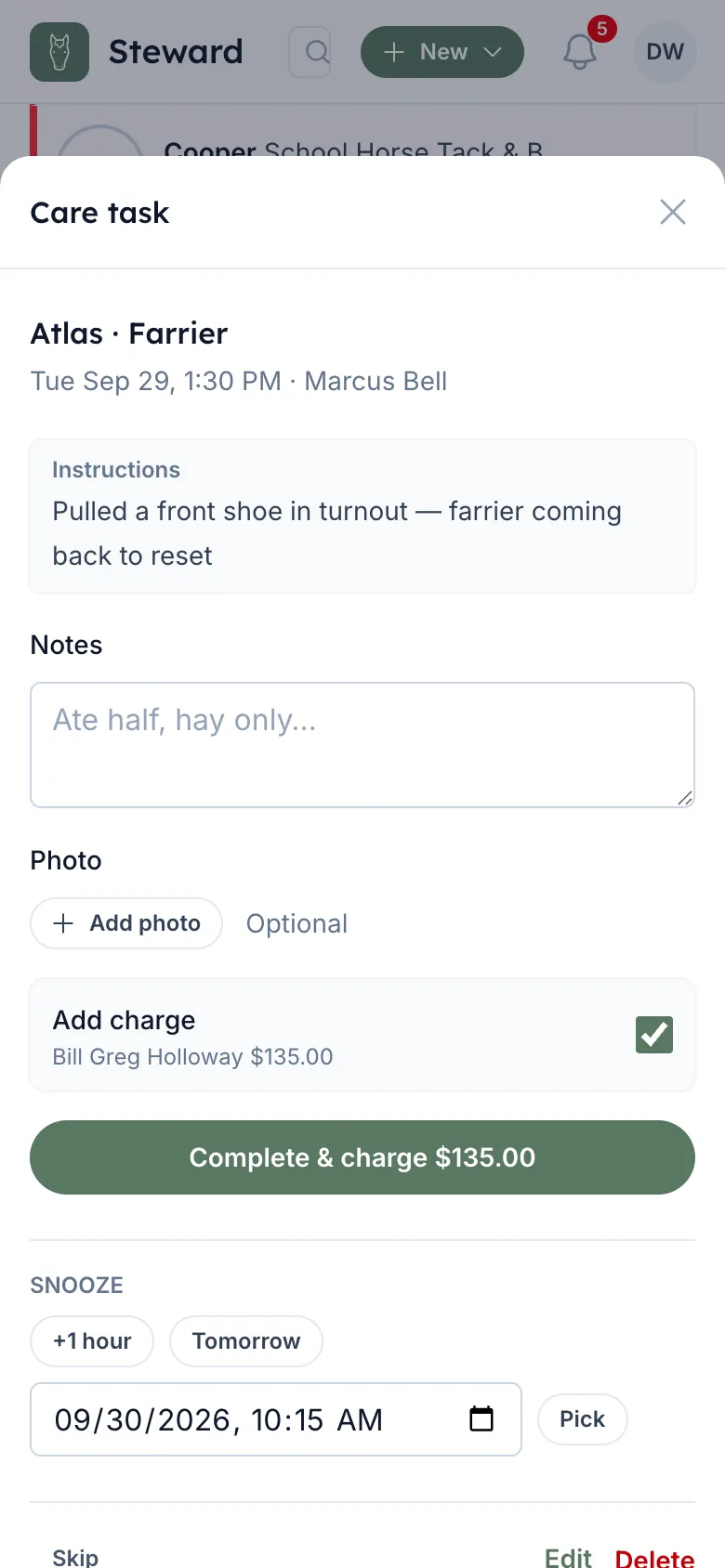
Farrier hold, billed
Complete & Charge puts $135 on Ranger's owner's account.
-
Month end
The run, approved
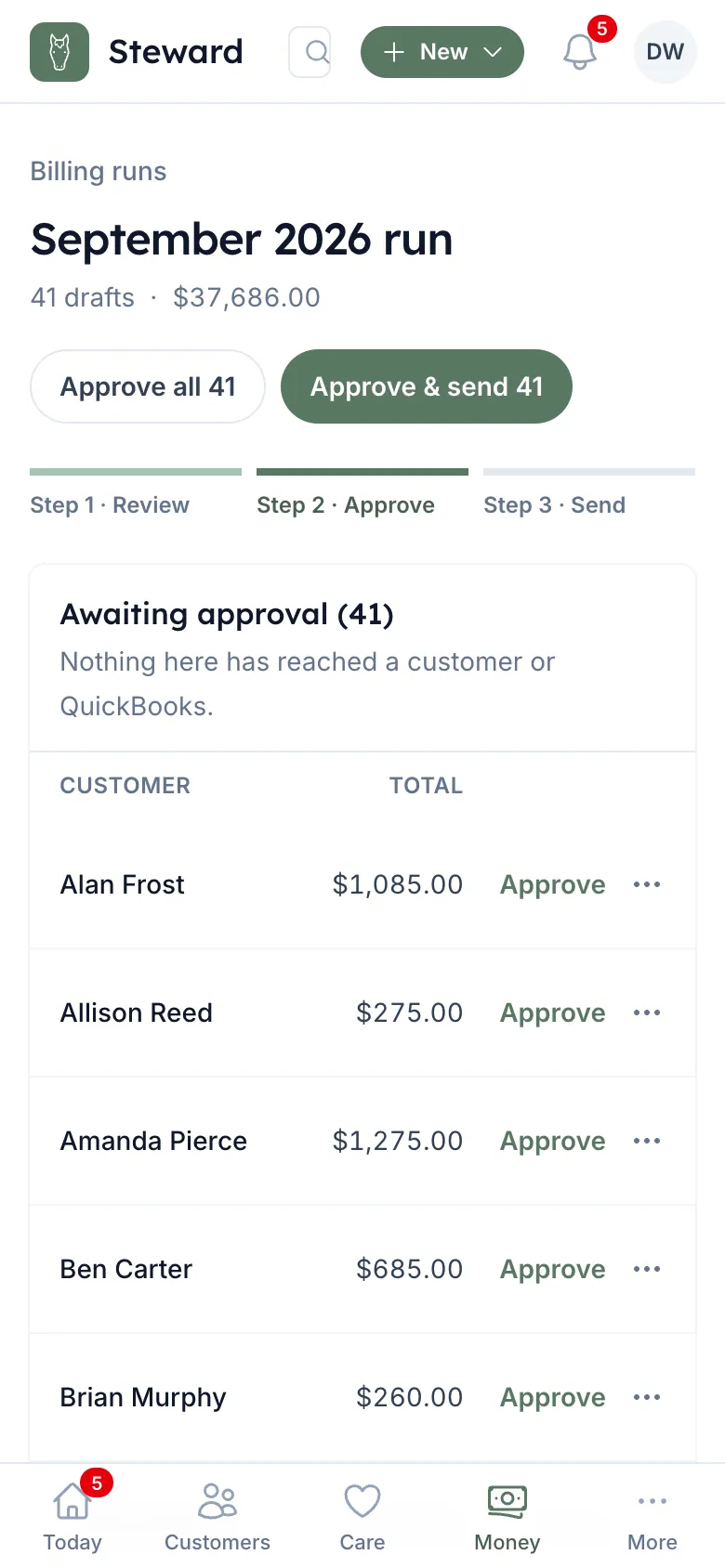
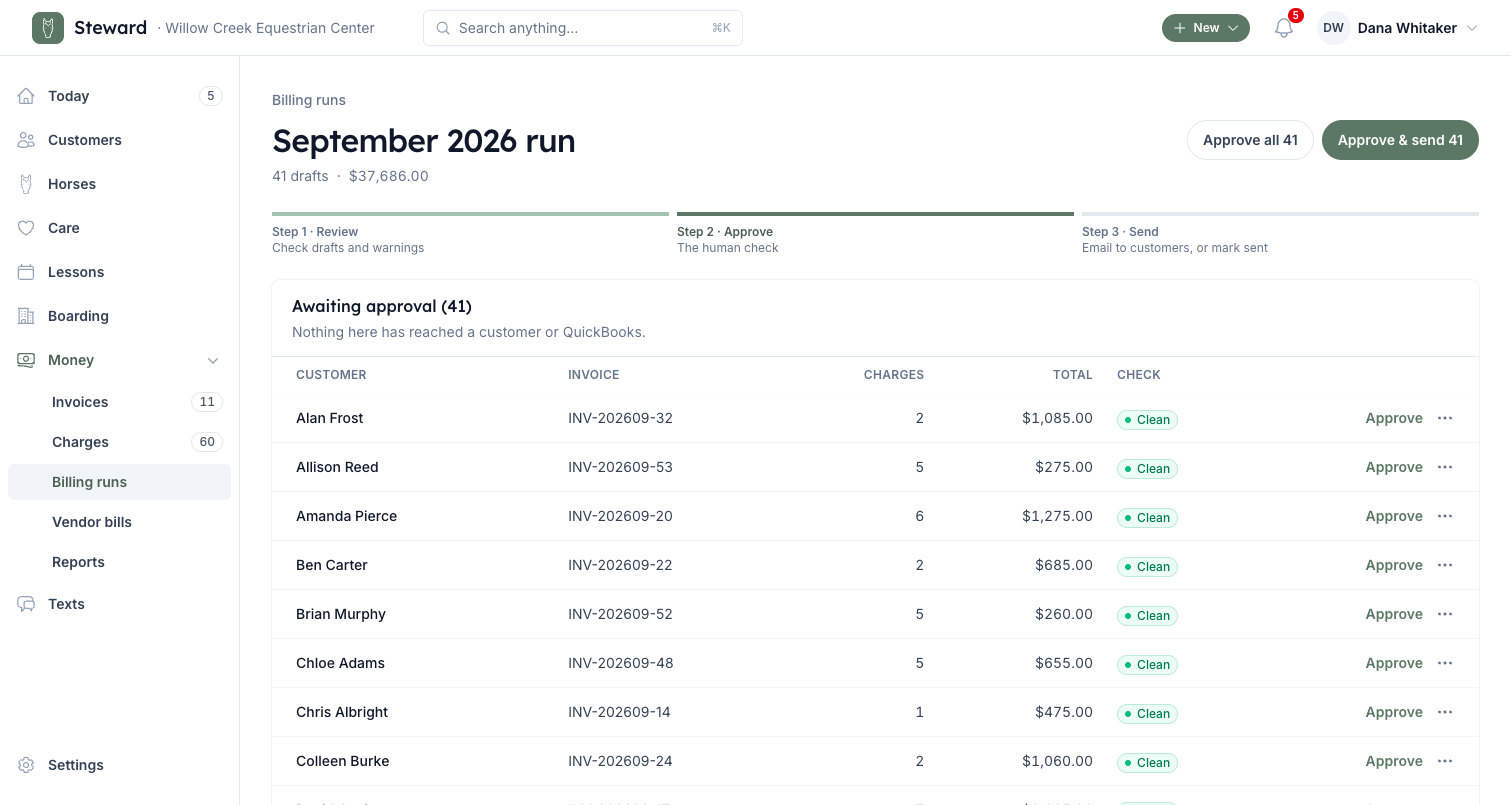
One draft per customer. You check them, then Approve & send.
Complete & Charge
The work is the bill.
Staff tap a billable task done. The charge lands on the horse's owner in the same tap, linked to the task.
- Set your billable items and prices once
- Co-owned horses split the charge by each owner's share
- A charge is billed once, never twice
Month end
Month end in a few clicks. Nothing goes out until you approve.
Build October invoices: every unbilled charge and the month's board, one draft per customer. Check them, then Approve & send. One confirm shows how many invoices, the total and every warning.
- Board, lessons, packages and add-ons on one invoice
- Families on one bill: a child's lessons go to the parent, each line naming the rider
- Board prorated for a mid-month move in or out
Accounts receivable
Know who owes. Reminders do the asking.
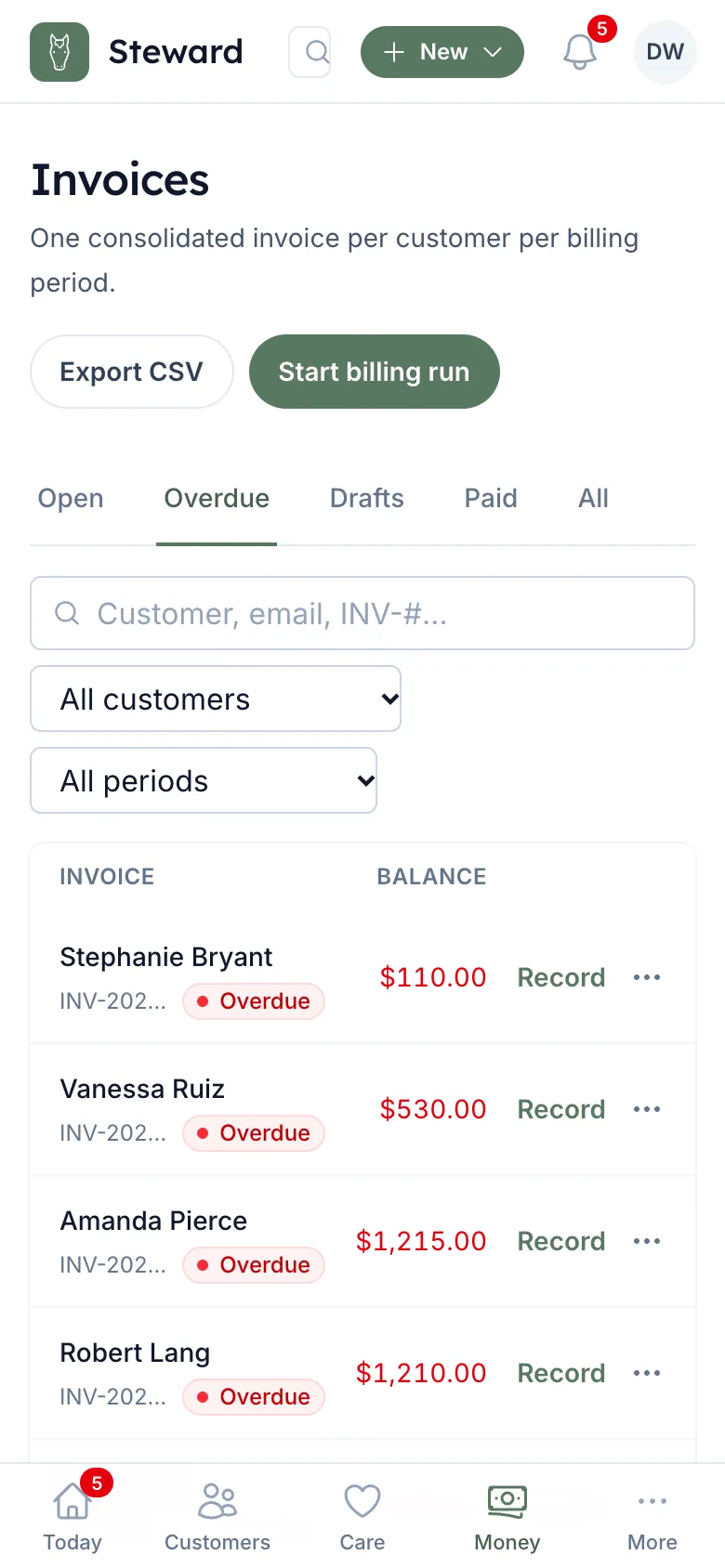
Overdue and unbilled top your Today page. Unpaid invoices get an email on day 1, a text on day 7, and an email plus an alert to you on day 14. It stops when they pay.
- Aging in 30-day buckets
- Record one check, split across their open invoices, oldest first
- Snooze reminders for a customer you're already talking to
Staff and permissions
Staff see their work. Not your money.
Built-in roles, or your own. Allow or deny each permission. Staff see only the horses they're assigned, and never a balance.
- Money pages only for the people you choose
- Per-horse assignment for trainers and barn hands
- Barn hands can't text commands; everyone else texts within their role
Role: Barn Hand
Built-in defaults
- Complete, skip and snooze care Included
- Assigned horses only Included
- View stalls and boarding Included
- Bill for care (Complete & Charge) Not included
- Invoices and balances Not included
- Texting commands Not included
QuickBooks Online
Works with the QuickBooks you already use.
Connect it once and it stays current. Nobody retypes a thing. No QuickBooks? Rein emails invoices itself.
- Invoices go outApproved invoices land in QuickBooks.
- Payments come backPaid in QuickBooks, paid here.
- Customers matchedTo the ones already in QuickBooks, by email or name. New ones are added.
Texting
Your staff and boarders text the barn.
Add a charge or mark a feed done from the aisle. Riders cancel a spot by text. Care done by text isn't billed; billable work goes through Complete & Charge.
-
Willow Creek Equestrian Center Text message · Elena, trainer
-
Elena: Charge Ranger farrier 135
-
Rein: Charge Sarah Kim $135.00 for Farrier — Ranger? Reply YES within 10 min to confirm.
-
Elena: YES
-
Rein: Done: charged Sarah Kim $135.00 for Farrier — Ranger.
A trainer adds a charge -
-
Willow Creek Equestrian Center Text message · Elena, trainer
-
Elena: done am feed ranger
-
Rein: Mark AM/PM Feeding for Ranger (7:00 AM today) done? Reply YES within 10 min to confirm.
-
Elena: YES
-
Rein: Done: AM/PM Feeding for Ranger (7:00 AM today).
A trainer marks care done -
-
Willow Creek Equestrian Center Text message · Tessa, rider
-
Tessa: Cancel my next lesson
-
Rein: Cancel your lesson on Tue Oct 6 at 4:00 PM? No charge. Reply YES to confirm.
-
Tessa: YES
-
Rein: You've been removed from the lesson: Private Lesson on Tue Oct 6 at 4:00 PM. No charge.
A rider cancels a lesson -
-
Nothing changes until YES
Every request is read back with names, times and amounts. It waits 10 minutes for YES.
-
Only what they're allowed
Owners, managers, trainers and instructors can text commands; barn hands can't. A text does only what that person can do in the app.
-
Yours to turn off
Staff commands are one switch in Settings, on by default. Customers can reply STOP to any text.
Also in Rein for barns
- Occupancy
- Which stalls are full in each barn, on your Today page and in Boarding.
- Board waitlist
- Who's waiting for a stall, in order. The next in line hears when one opens.
- Security deposits
- Held per customer, then settled against the last invoice at move-out.
- Horse health
- Coggins, vaccines and vet visits, with what's due next.
- Credit memos
- Take something back without editing a sent invoice.
- A new boarder in one form
- Customer, horse, stall and move-in date, board rate, care plans and a portal invite, saved together.
Questions
Frequently asked questions
What owners and managers ask before they move the barn's billing.
Do we need QuickBooks?
No. With QuickBooks Online connected, invoices and payments sync both ways. Without it, you send invoices by email from Rein, mark them sent, or print them, and the payment reminders still run.
Do you process our payments?
No. Your customers pay you the way you already take payment, and your payment instructions show on every invoice and in their portal. You record the payment, or it comes back from QuickBooks.
Does anything reach a customer without us seeing it?
Monthly invoices don't. A billing run builds drafts, and nothing is sent until you approve it.
Can our office manager run billing?
Yes. Give them a role with the billing permissions, and keep money pages away from everyone else.
How do we bring in our horses and boarders?
Upload a spreadsheet of horses and customers, then match them to your QuickBooks customers. After that, a new boarder is one form: customer, horse, stall, board and a portal invite. Or share your barn's private sign-up link and approve who asks to join.
Can we turn texting off?
Staff texting commands are one switch in Settings (on by default). Customers can reply STOP to any text.
Bill this month's work this month.
Set up your barn, add your horses and boarders, and the work your staff mark done this week is on your next billing run.